
In shortTo make faceless Reels, pick one repeatable format (hands-on demos, screen recordings, product shots, b-roll with voiceover, text-led explainers or before-and-afters), write a hook for the first two seconds, record your own footage or narration, and edit tightly with captions and sound. Instagram only recommends original content to non-followers, so your own footage, voice or commentary matters more than hiding your face.
- Faceless is a filming choice, not a growth strategy: the hook, topic and originality decide reach.
- Instagram may not recommend Reels that reuse other people's clips without material changes.
- Pick one of six repeatable formats and post it on a steady schedule so viewers know what to expect.
- Edit for the first two seconds, keep captions inside the safe area and cut every pause.
- You can edit yourself for free, hire a freelancer, or use a done-for-you AI video editor; each fits a different budget and volume.
How to make faceless Reels: what the format really is
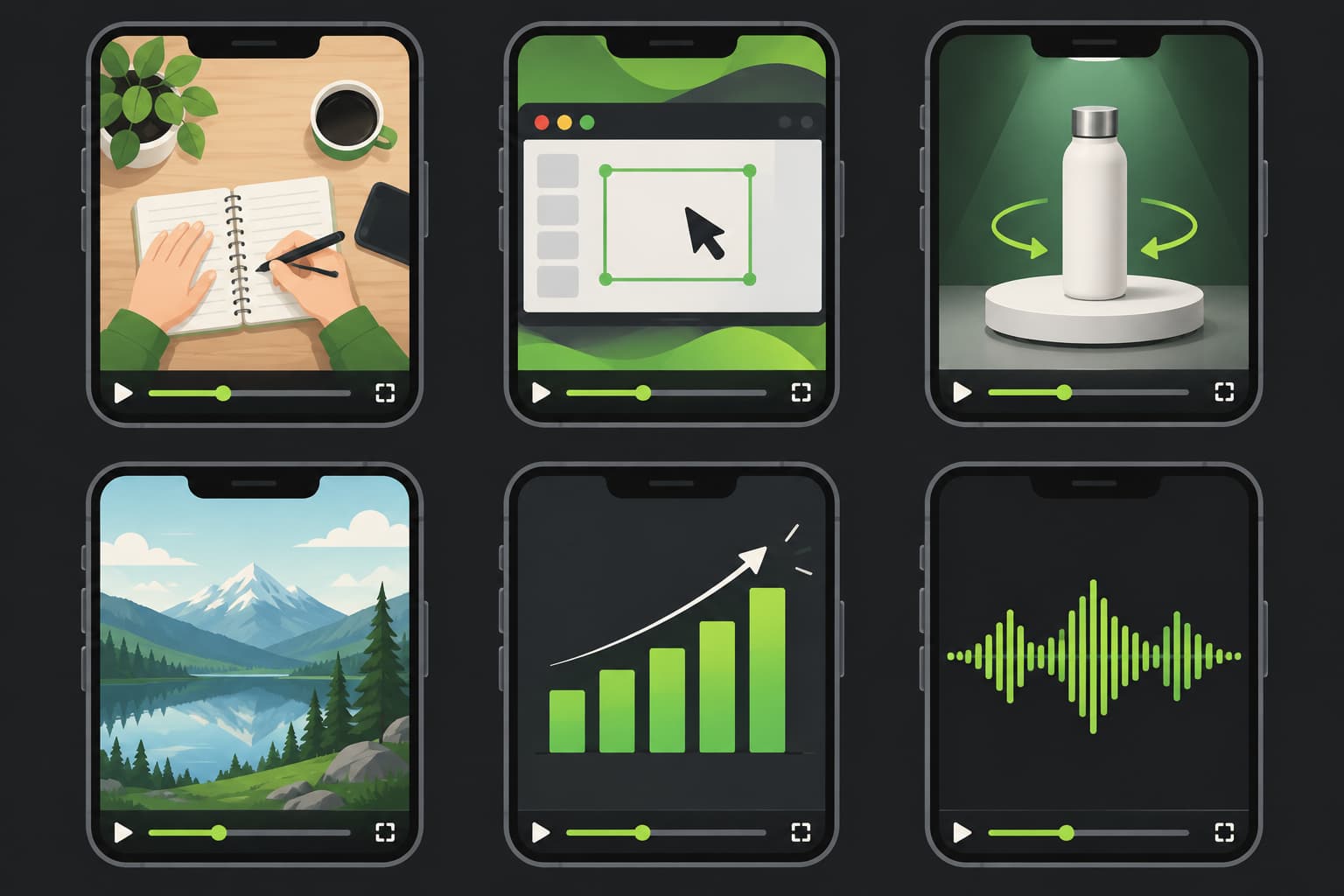
If you want to know how to make faceless Reels, start with what the word means. A faceless Reel is a short vertical video where the viewer never sees the creator's face. The camera shows hands, a screen, a product, a place or a graphic, and the story is carried by narration, on-screen text or the action itself.
Many people choose this format because they are camera-shy, want privacy, run a brand account, or want a page that can be handed to a team later. Those are all fine reasons. The catch is that faceless is a way of filming, not a reason anyone watches. Nothing in Instagram's guidelines rewards hiding your face. What they reward is original content that people choose to watch.
What does decide reach is the same set of things that decides it for every Reel: the topic, the first two seconds, the pacing, the sound, and whether Instagram sees the content as original. The rest of this guide is about getting those right without a face on screen. If your Reels already get some views and you want the full editing checklist, read our guide on how to edit Instagram Reels that get views.
Six formats for faceless Instagram Reels
Most successful faceless pages stick to one or two formats and repeat them. Repetition helps you produce faster and helps viewers recognise your Reels in the feed. These are the six formats that come up again and again in creator guides and in Instagram's own examples of original content.
Pick the format that matches what you can film easily every week. A bakery can film hands and dough every day; a software founder can screen-record every day. Choosing a format you can't keep up is one of the quickest ways a faceless page goes quiet.
| Format | What the viewer sees | Good for | What you need |
|---|---|---|---|
| Hands-on demo | Hands making, fixing, cooking or packing something | Crafts, food, beauty, small shops | Phone on a stand above a table |
| Screen recording | A screen with cursor moves and zooms | Software, finance tips, design, education | Built-in screen recorder, a voiceover |
| Product showcase | A product in use, close-ups, unboxing | E-commerce, brands, reviews | Good light, a plain background |
| B-roll with voiceover | Places, objects or activities matched to narration | Travel, storytelling, motivation, explainers | Your own clips plus a clear voice track |
| Text-led explainer | Bold text over a simple background or footage | Tips, lists, quotes with commentary | A short script and a template |
| Before and after | A messy or plain start, then the result | Cleaning, renovation, editing, styling | Two clips filmed from the same angle |
Story narration over unrelated gameplay or someone else's clips is a popular faceless format, but it carries the most risk: if the footage isn't yours and you add little, Instagram may treat it as unoriginal.
Why faceless Reels get no views: the real causes
When a faceless page stalls, people often blame the lack of a face. In practice the causes are usually somewhere else. These are the ones that show up most often in creator write-ups, forum threads and Instagram's own guidelines. Our post on why your Reels get no views covers the general version of this problem in more depth.
- Unoriginal content. Instagram's Original Content Guidelines say Reels copied from other accounts, or reused without material edits, may not be recommended to non-followers. Borders, watermarks, speed changes and a credit line do not count as material edits. If an account mostly posts that kind of content, the whole account can lose recommendations until its recent posts are mostly original again.
- A weak hook. Faceless-account guides keep coming back to the same advice: open with a clear text hook and a strong first image, because viewers decide in the first seconds. Without a face, the first frame and first line of text have to do all the work.
- Generic stock footage. Stock clips look like everyone else's stock clips. Viewers scroll past footage that could belong to any account, and stock alone adds little that is yours.
- The wrong topic or niche. A page that covers everything gives Instagram no clear audience to test it with. One faceless-account guide offers a simple test: if you can't list a few dozen post ideas for your niche, it is probably too thin.
- Poor sound. A flat AI voice, music that drowns out narration, or no sound at all makes a Reel feel cheap. Some people watch with sound on and some with sound off, so you need clear audio and captions.
- Inconsistent posting. Faceless pages often start with a burst of posts and then go quiet. Instagram tests each Reel with a small audience first, so you need a steady flow of tests to learn what works.
- Account health. Reels about restricted topics, clickbait, or repeated reposts can be left out of recommendations. Instagram's Account Status screen shows whether your account is currently eligible.
How to diagnose which cause applies to you
Before you change everything, look at your numbers in Instagram's Insights for your last ten Reels and match the pattern to a cause. Use the table below. One clear fix beats five vague ones.
| What you see | Likely cause | What to check |
|---|---|---|
| Views stuck very low on every Reel, even good ones | Account not eligible for recommendations | Settings, Account Status, then recommendation eligibility |
| Views mostly from followers, almost none from non-followers | Unoriginal content or no clear niche | How much of your footage and audio is yours |
| Decent reach but viewers leave in the first seconds | Weak hook or slow opening | Watch time and the first two seconds of each Reel |
| People watch to the middle, then drop | Pacing: pauses, repeated points, long shots | Where the retention graph falls, then cut that part |
| Good watch time, few shares or saves | Topic isn't useful or surprising enough | Whether the Reel teaches, solves or shows something new |
| Some Reels do well, most don't, no pattern | Too many formats and topics | Group Reels by format and compare averages |
What CreatorSuite sends back
A real upload next to the finished edit. Switch between short form and long form.
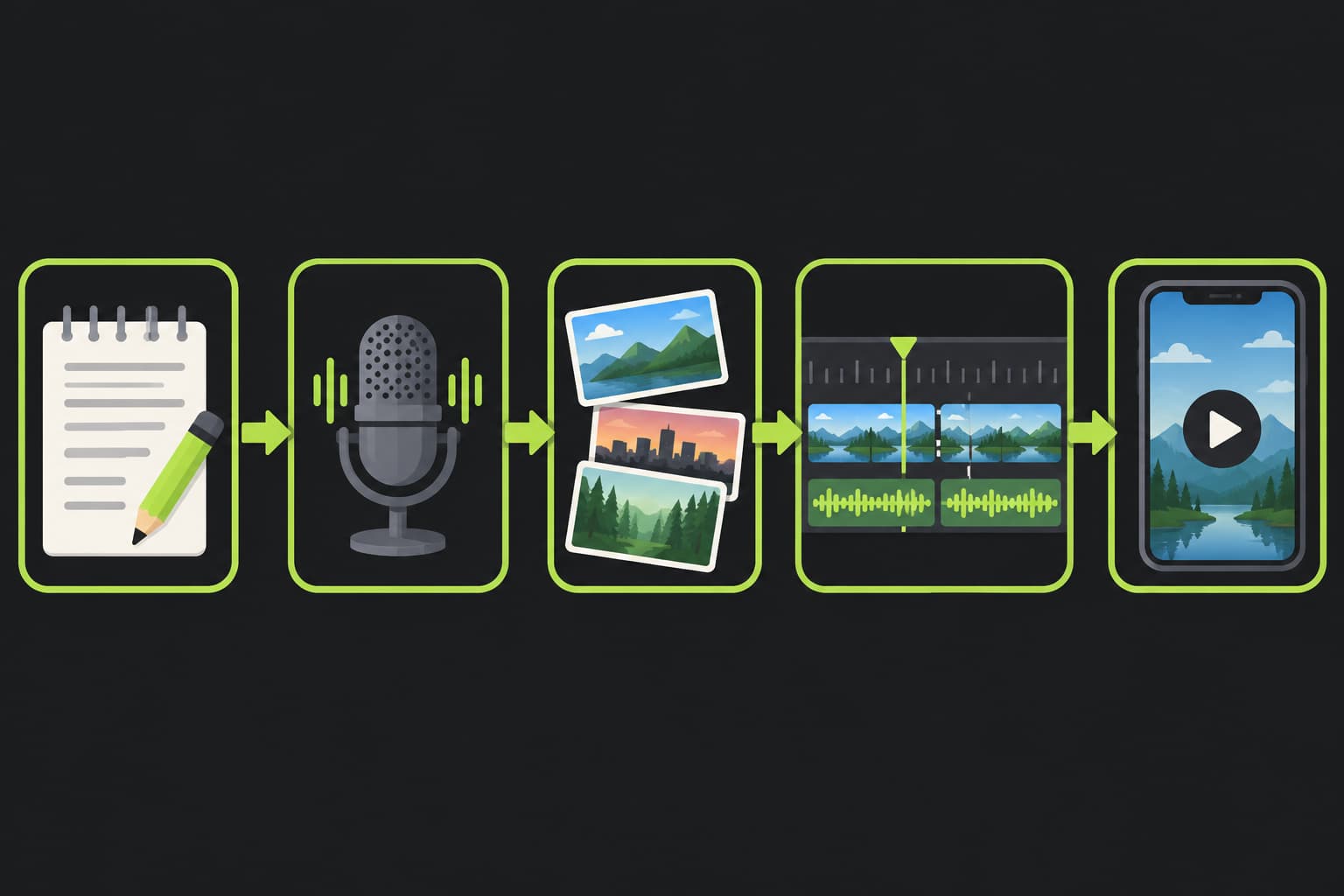
How to make faceless Reels step by step: a worked example
Here is the full process for one Reel, using an example account: a small home-baking page that sells sourdough kits and doesn't want to appear on camera. The format is a hands-on demo with a voiceover. The same steps work for screen recordings or product showcases.
Step 1, pick one promise. The Reel will answer one question: why does my sourdough come out flat? One question per Reel keeps the script short and the hook clear.
Step 2, write the hook first. Write three versions of the opening line and the opening image. For example: a flat loaf next to a tall one, with the line 'Your loaf is flat for one of three reasons.' The image and the words both have to work in the first two seconds.
Step 3, write a short script. Aim for 25 to 35 seconds. Most people speak at roughly two to three words a second, so time yourself reading the script aloud and cut until it fits. For this Reel that is three reasons, one sentence each, plus a fix for each.
Step 4, plan your shots. List one shot per line of the script: the flat loaf, a finger poking under-proofed dough, a thermometer in water, a wet versus dry dough comparison, the finished tall loaf. Five to eight shots is plenty.
Step 5, film your own footage. Put the phone on a stand above the counter, film vertically in daylight, and take each shot two or three times. Keep your face out of frame by filming from above or chest height.
Step 6, record the voiceover. Record in a small, soft room (a wardrobe works) with the phone close to your mouth. Your own voice is the strongest sign of originality a faceless account has.
Step 7, edit. Cut every pause, put the strongest shot first, match each shot to its line, add captions, a quiet music bed and a sound effect on each reveal. The editing section below goes through this in detail.
Step 8, post and check. Write a caption that repeats the promise, post at a time your followers are active, and after a few days compare watch time and shares with your other Reels. Change one thing next time, usually the hook.
If you only have time for one improvement, spend it on step 2. A faceless Reel lives or dies on its first frame.
Faceless video editing: pacing, captions, b-roll and sound
Editing matters more for faceless Reels than for talking-head videos, because there is no face to hold attention while the story builds. These are the edits that make the biggest difference.
Cut tighter than feels natural. Remove every breath, filler word and pause from the voiceover, then trim each shot so it ends the moment its point lands. Our guide to jump cuts in short videos shows how to keep this from feeling choppy.
Change the picture often. A static shot that runs more than a few seconds invites a scroll. Switch angles, punch in, or cut to a detail shot. If you are short on footage, our guide to b-roll for short videos covers what to film and how to source it without leaning on generic stock.
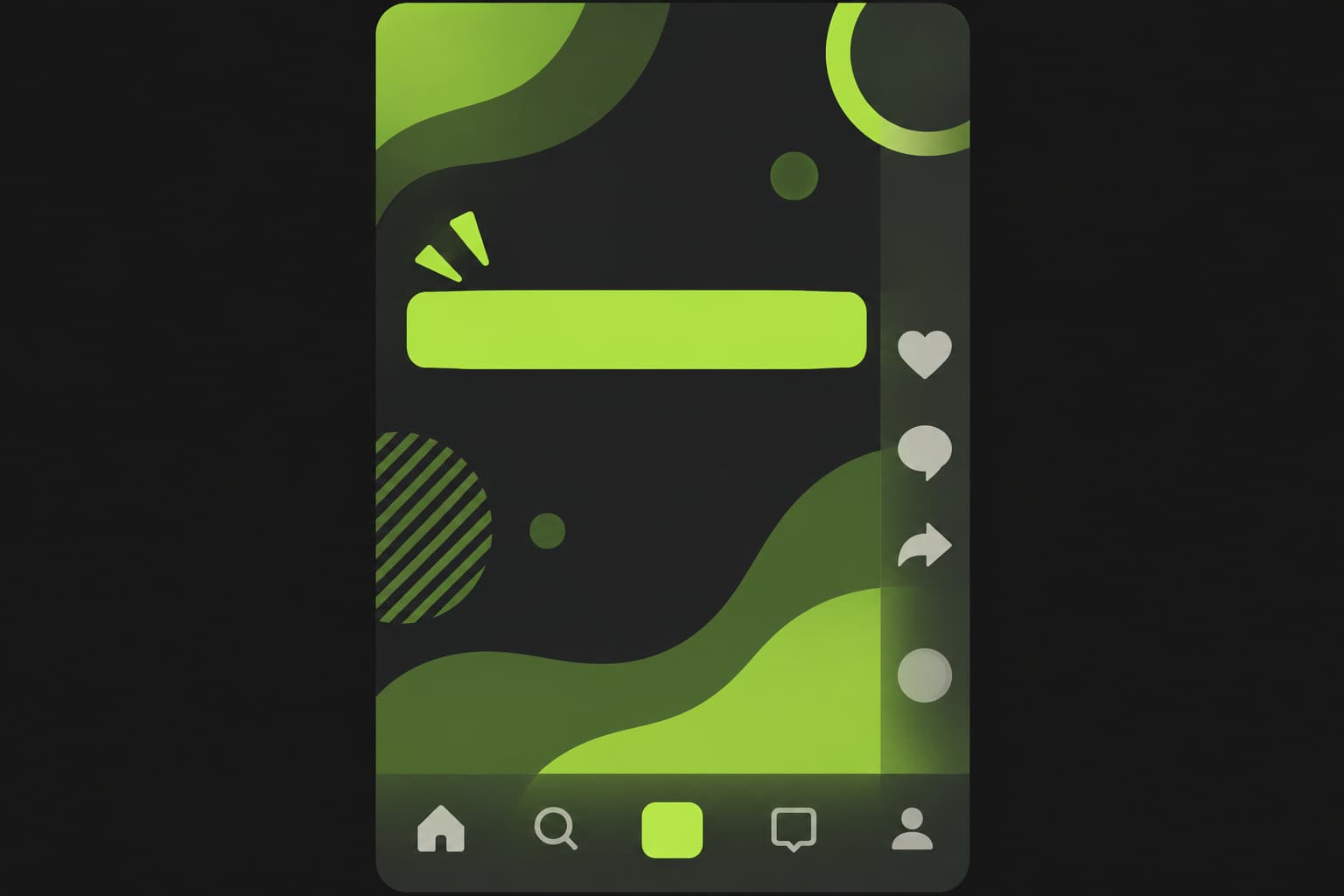
Make captions do more than repeat. Instagram's guidelines suggest overlaid text that adds information rather than just describing the screen. Keep captions large, high-contrast and inside the safe area: away from the bottom of the frame, where the caption and buttons sit, and the right edge, where the icons sit. If captions eat up your time, a video captions and subtitles service can handle them.
Treat sound as half the video. Keep the voice clearly louder than the music, add short sound effects on transitions and reveals, and check the Reel once with sound on and once with sound off. It should make sense both ways.
Export cleanly. Export at 1080 by 1920, vertical, with no watermark from another app. Instagram lists visible watermarks among the things that can stop a Reel being recommended.
How to make faceless Reels with the right tools or service
Once you know how to make faceless Reels, the question becomes who does the editing. There are four realistic routes. Each one is right for someone; the table shows the trade-offs.
To work out a freelancer's real cost, ask for a per-video quote, multiply by the Reels you plan to post in a month, and add the cost of revisions. Compare that with a monthly plan and with your own time at an hourly value. Our breakdown of how much video editing costs walks through the sums, and our Fiverr video editors alternative page compares hiring on marketplaces with other options.
CreatorSuite sits in the done-for-you row. It is an AI video editor: you upload your own raw footage (phone footage is fine) and pick a style, and it sends back a finished vertical video with cuts, a hook, captions, b-roll, motion design, sound and colour. It does not film for you, write videos from text or make AI avatars, so you still record the hands, screens or products and your voiceover.
| Option | Cost | Time per Reel | Best for | Trade-offs |
|---|---|---|---|---|
| Edit yourself in a free app | Free | The most of your own time | Beginners, tight budgets, learning the craft | Slow at first, quality depends on your skill |
| AI template and generator apps | Monthly subscription, often credit-based | Fast to produce | Text-led and stock-based Reels at volume | Output can look generic; reviews of some tools complain about credits running out and limited control |
| Freelance editor | Per video or monthly retainer; quote varies | Low for you once briefed | People who want a personal style and direct feedback | Finding a reliable editor takes time; turnaround and quality vary |
| Done-for-you AI video editing service | From $9/month | Upload footage, get a finished video back | Creators and brands posting several Reels a week | You still need to film your own footage and voiceover |
Where CreatorSuite fits, and when another option is better
CreatorSuite is a done-for-you AI video editor for people who can film but don't want to spend evenings in an editing app. For a faceless page, that usually means you film hands, products or screen recordings, record your voiceover, upload, and get a ready-to-post Reel back. You can see examples of the look on our faceless style video editing page.
Using the worked example above: posting three faceless Reels a week is roughly 12 to 13 short videos a month. A short video uses 100 credits, so the Plus plan ($39/month, 1,500 credits, up to 15 short videos, back in 5 to 6 hours, unlimited re-edits) covers that with a little room to spare. The Basic plan ($9/month, 300 credits) covers up to 3 short videos a month, which suits testing a format. If you sell products, our page on the AI video editor for e-commerce brands shows how product footage fits in.
Another option fits better if you want to learn editing yourself (a free app is the right call), if your Reels are only text over stock footage (a template app is quicker), or if you have no footage at all and want videos generated from a script (that isn't something it does). You can try it with the 3-day free trial, which covers 1 short video, 3 clips or 1 long video up to 10 minutes (card required), with a full refund before your second edit.
A simple weekly routine for a faceless Reels page
The pages that keep growing are the ones that keep posting. A routine that fits into a normal week beats a burst of effort that stops after a month. Here is one way to run a faceless page in about half a day a week, whoever does the editing.
- Monday: write three hooks and three short scripts around one theme. If you are stuck, our list of short video ideas for small businesses works for faceless pages too.
- Tuesday: film all the shots for the week in one session, from the same angle and light.
- Wednesday: record the three voiceovers in one sitting so your voice sounds consistent.
- Thursday: edit, or upload the footage to your editor or service.
- Friday to Sunday: post one Reel a day, reply to comments, and note which hook held viewers longest.
- Every month: check Account Status, compare formats, and drop the one that performs worst.
What we read for this guide
- Original Content Guidelines (Instagram for Creators) · creators.instagram.comDefines original vs unoriginal Reels; borders, watermarks and credits are not material edits; unoriginal accounts can lose recommendations.
- Recommendations and originality (Instagram for Creators) · creators.instagram.comRecommended content must be original with no visible watermarks; Reels are tested with a small audience first.
- Instagram Reels without showing your face (Later) · later.comFaceless ideas such as tutorials with voiceover, stop motion, before-and-after and text-led Reels.
- The ultimate guide to building a faceless account (Stan) · stan.storeFaceless formats, and why faceless accounts stall: thin niche, inconsistent posting, reposting without added value.
- How to make Instagram Reels without showing your face (Fluxnote) · fluxnote.ioFormats such as screen recordings and product shots; vertical stock, early hooks and bold captions.
- InVideo reviews (Trustpilot) · trustpilot.comUsers of an AI video generator report credits running out quickly and limited editing control.
How this page was made: written by Badar Munir and the CreatorSuite team with AI assistance, reviewed by James, from facts we checked ourselves and the sources listed above. Spotted something out of date? Email us and we’ll fix it.
how to make faceless Reels: FAQs
How do I make Instagram Reels without showing your face?
Film something other than yourself: your hands at work, your screen, a product or a place. Carry the story with your own voiceover or on-screen text, open with a strong first frame, and edit tightly with captions. Your own footage and voice keep the Reel original in Instagram's eyes.
Do faceless Instagram Reels get fewer views?
Not because of the missing face. Reach depends on the hook, topic, pacing and originality. Faceless pages usually struggle when they reuse other people's clips, rely on generic stock footage, or post without a clear niche.
Can I use other people's clips in faceless Reels?
Instagram's guidelines say Reels that reuse others' content without material edits may not be recommended to non-followers. Adding a border, watermark, speed change or credit is not enough. Adding real commentary, narration or a new storyline can make the result original, and you still need the right to use the footage.
What are good faceless reel ideas for beginners?
Start with formats you can film every week: hands-on demos, screen-recorded tips, product close-ups, before-and-afters, or text-led tips with your own footage behind them. Pick one format and repeat it so you can compare results.
Is an AI voice OK for faceless Reels?
It can work, but a flat or mispronounced voice makes a Reel feel cheap, and your own voice adds originality. If you use an AI voice, listen to the whole Reel and fix any odd words before posting.
Can a done-for-you editing service make faceless Reels from a script alone?
Not ours. We edit footage you upload; it does not generate videos from text or make AI avatars. Film your own hands, screen or products and record a voiceover, then our AI video editor handles cuts, hook, captions, b-roll, sound and colour. The 3-day free trial covers 1 short video.
Rather not edit it yourself?
Upload raw footage, get a finished edit back. 3-day free trial: 1 short video, 3 clips or 1 long video up to 10 min.
2,700+ creators in the last 7 days
Start 3-day free trial