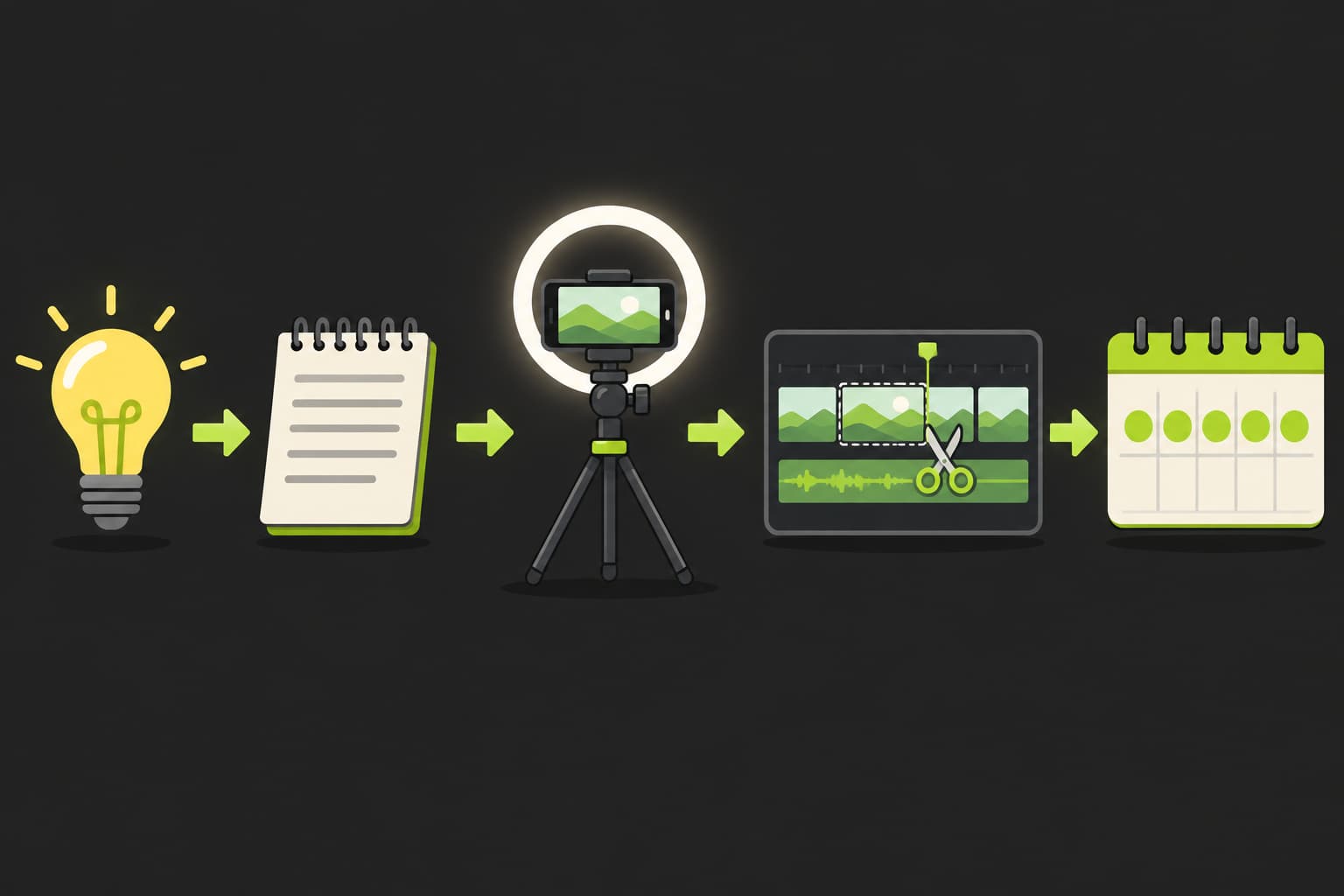

In shortA good short-form video editing workflow separates the work into stages: plan all posts at once, film them in one session grouped by setup, edit the whole batch in three passes (trim, add context, polish), then schedule. Batching cuts repeated setup and context switching, but it only works if the footage is planned tightly, because messy takes are what make editing slow.
- Split the week into stages: plan, film, edit, schedule. Never film and edit on the same pass.
- Film by setup or outfit, not in posting order, and record two takes of every hook.
- Edit the whole batch in three passes: trim every clip, add context to every clip, then polish every clip.
- Slow editing is usually a footage problem: rambling takes and missing b-roll cost more time than the software.
- Leave two or three open slots a week for trends and replies so the batch does not lock you in.
- If editing is the bottleneck, compare doing it yourself, an app, a freelancer and a done-for-you service on time, cost and control.
Why your short-form video editing workflow keeps breaking
Most creators who search for a short-form video editing workflow are not short of ideas. They are short of hours. Each post becomes a small project: find an idea, set up the phone, film, edit, write a caption, post. Then the next day it starts again from zero.
The same complaints come up again and again in creator forums and how-to guides. A creator on the Jeff Bullas forum describes having a full-time job, only weekends for TikTok, and a batching attempt that felt disorganised and wasted time. A creator in a Skool community describes spending hours in his editor and blaming the software, then realising most of that time went into cutting around rambling takes and hesitations he had made on camera.
Batching fixes the first problem by turning seven small projects into one larger one. It only fixes the second problem if you plan the footage so it is quick to cut. The rest of this guide covers both.
- Daily setup: lights, tripod, outfit and background, rebuilt for every single video.
- Context switching: jumping between thinking, filming and editing in one sitting.
- Editing drag: long takes, false starts and no b-roll to cover jump cuts.
- Inconsistency: a busy week means no posts, and the account goes quiet.
All the real causes, not only editing
A batch can be perfectly organised and still fail if the posts do not perform. Before you build a workflow around editing speed, check that editing is actually what is holding you back. If your posts already get few views, read why your Reels get no views first, because a faster workflow only produces more of what is not working.
| Cause | What you notice | First fix |
|---|---|---|
| No plan before filming | You open the camera and improvise; takes run long | Write a hook, three points and a call to action per post before shoot day |
| Messy footage | Editing each clip takes far longer than the clip itself | Script tighter, use a teleprompter, record two clean takes of every hook |
| Weak topics | Posts are finished on time but get little reach | Pick topics from real audience questions and comments |
| Weak hooks | Viewers swipe in the first seconds | Film two or three hook versions and choose in the edit |
| Inconsistent posting | Bursts of posts, then silence | Schedule the whole batch so posting does not depend on a free evening |
| Platform format mismatch | Text cut off, wrong ratio, lost trending audio | Edit in 9:16 first and add trending sounds inside each app |
| Tool friction | Features locked at export, lost projects | Test the full export path of any app before you rely on it |
| Burnout | Batch days feel dreaded and get skipped | Start with a smaller batch and split planning and filming into separate days |
How to diagnose what slows your short-form video editing workflow
Track one normal week with a simple timer. Log how long each stage takes for every post: idea, script, setup, filming, editing, captions and posting. Then look at where the time goes.
If setup and filming dominate, batching the shoot will help most. If editing dominates and your clips are short, look at the footage before you look at the editor. If every stage is quick but views are flat, the problem is topic, hook or audience, not workflow.
- Setup over a third of your time: batch the shoot and group by setup.
- Editing much longer than the finished video: tighten scripts and capture b-roll on shoot day.
- Posts sit unedited for days: editing is the bottleneck; consider tools or outside help.
- Posts go out on time but stall: work on topics and hooks before scaling volume.
- You skip weeks entirely: the batch is too big; halve it.
Step 1: plan the whole week in one sitting
The planning stage decides how fast everything after it goes. Social Media Examiner suggests a board with columns for each stage (Ideas, To Create, Recorded, To Edit, To Schedule, Posted) and moving each post across it. A notes app works too, as long as every post has one row.
For each of your seven posts, write four things: the hook line, three short points, the call to action, and the setup it needs (desk, kitchen, outdoors, outfit). Sprout Social's batching guide recommends writing hooks and calls to action first and skipping word-for-word scripts unless your topic needs precision. If you run a business account and are stuck for topics, our list of short video ideas for small businesses gives you a starting pile.
Also note any trending sound or format you want to copy, and leave two or three open slots in the week for trends, replies to comments and anything timely. Batching should give you breathing room, not a calendar you cannot change.
Rule of thumb: if a post cannot be summed up in one hook line before shoot day, it is not ready to film.
What CreatorSuite sends back
A real upload next to the finished edit. Switch between short form and long form.
Step 2: film once, grouped by setup
On shoot day you only film. No editing, no captions, no posting. Both Planoly and Social Media Examiner make this point: stopping between takes to upload or edit is what kills the momentum of a batch day.
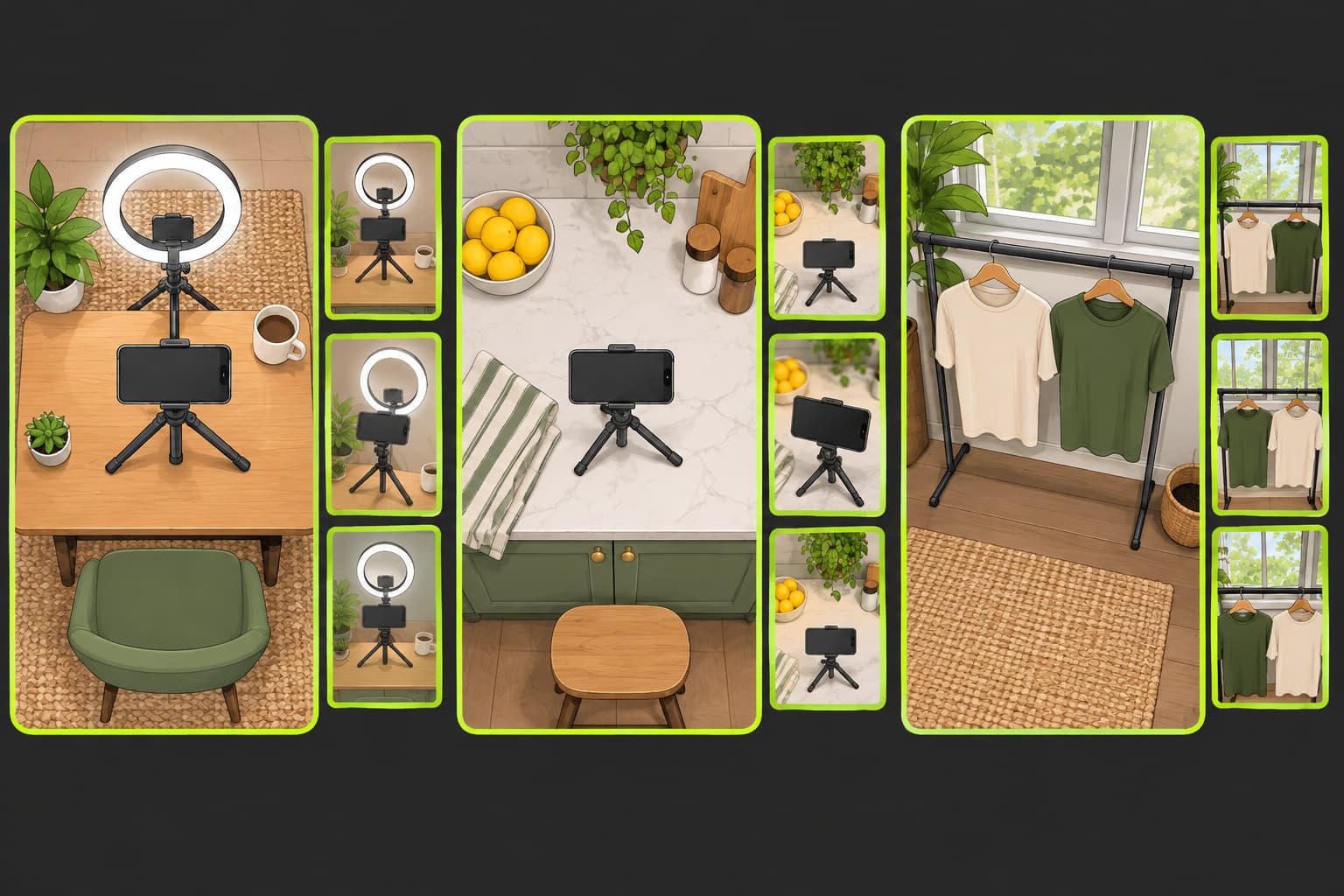
Film in blocks by setup or outfit, not in posting order. Shoot every desk video together, then every kitchen video, then change your shirt and shoot the next group. Change a prop or two between videos so the batch does not look like it was filmed in one hour.
For every post, record two takes of the hook and grab 10 to 15 seconds of b-roll: hands on the product, the screen you are talking about, a wide shot of the room. That b-roll is what lets you cover jump cuts later. Our guide to b-roll for short videos lists what to shoot for common topics.
Save every clip to your phone's camera roll or cloud storage, not only as a draft inside Instagram or TikTok. Drafts inside apps can be lost, and you want the raw files for editing on a bigger screen.
- Phone at 1080p or higher, vertical, at eye level on a tripod.
- A clip-on mic; sound problems are harder to fix than picture problems.
- A teleprompter app for scripted lines (CapCut has one built in).
- Clear storage before you start so the phone does not fill up mid-shoot.
- Name or star the strongest take of each hook as you go.
Step 3: the batch short-form video editing workflow in three passes
This is where batching saves the most time. Instead of finishing one video, then starting the next, you do the same job to all seven clips before moving on. Your hands and eyes stay in one mode.
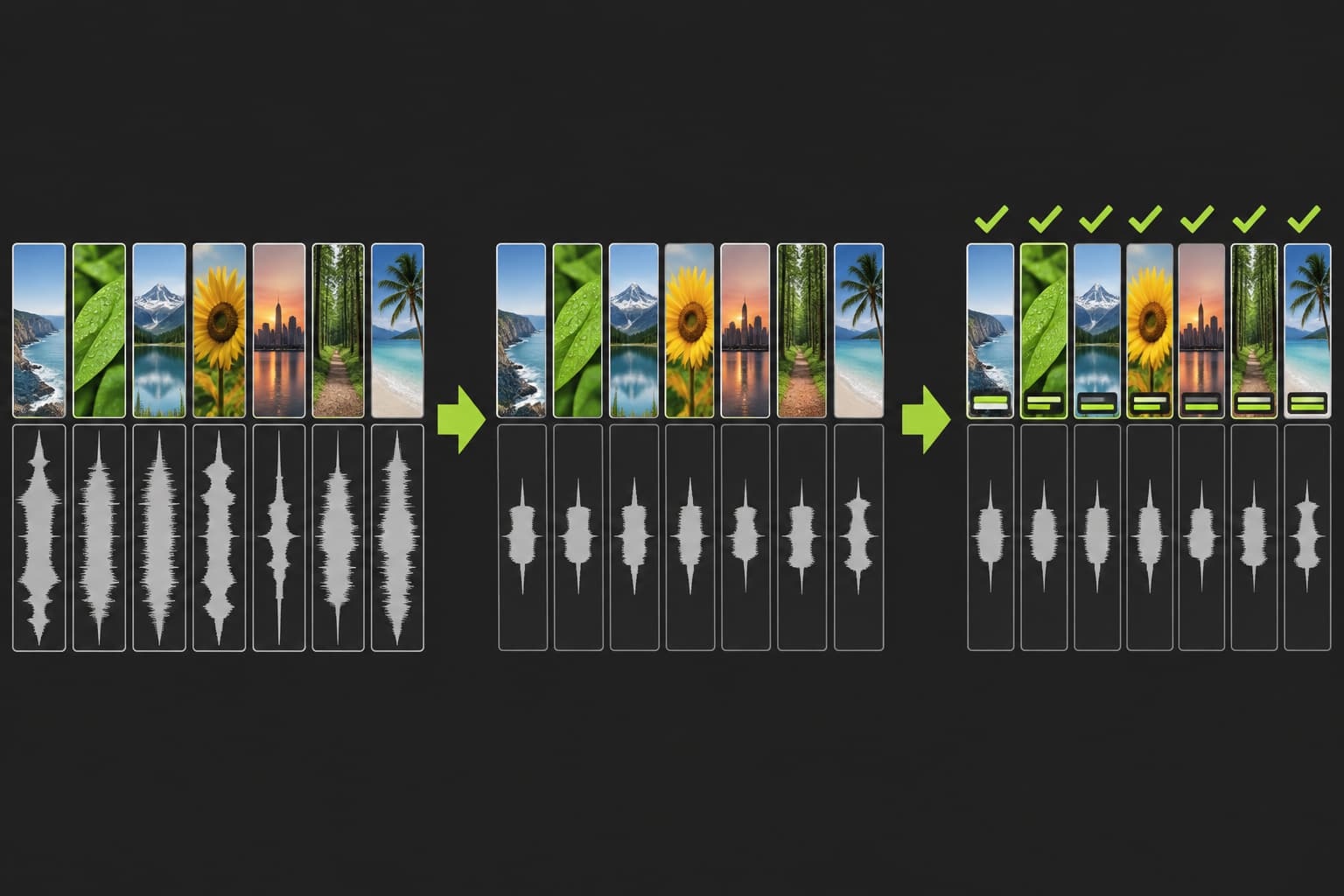
Pass one is trim: cut every clip to start on the hook and end right after the call to action, and remove false starts and pauses. Pass two is context: add b-roll over jump cuts, on-screen text for key points and any zooms. Pass three is polish: captions, a cover frame, sound levels and a final watch with sound off. Sprout Social describes the same trim, context, polish order, and Reap's batch editing guide adds a useful last step: watch every exported file once, start to finish, before it is marked ready.
Use one caption style and one template for the whole batch. Name files so you can tell them apart, for example topic, format and version. If you post to several platforms, finish the main 9:16 batch first and only then make extra versions you will actually use. For platform-specific detail, see our YouTube Shorts editing tips and the TikTok video editing guide.
| Pass | Do to every clip | Skip until later |
|---|---|---|
| 1. Trim | Start on the hook, cut pauses and retakes, end after the call to action | Text, music, colour |
| 2. Context | B-roll over jump cuts, on-screen text, zooms | Captions, covers |
| 3. Polish | Captions, cover frame, audio levels, sound-off check, export | New ideas for next week |
Worked example: one shoot, seven posts
Here is how this short-form video editing workflow plays out for a solo creator who runs a home-cooking account and posts once a day. The time blocks are a planning example, not a promise; your first batch will be slower.
Sunday evening she plans seven posts: three quick recipes filmed at the counter, two talking-head tips at the table, and two answers to comments filmed by the window. Monday she films for two hours, grouped by location, with two hook takes and b-roll for each. Tuesday evening she does the trim pass on all seven. Wednesday she adds b-roll and text. Thursday she captions, adds covers and exports. Friday she schedules all seven and leaves Saturday open for a trend.
| Day | Stage | Output |
|---|---|---|
| Sunday | Plan | 7 hooks, points, calls to action and setups on one board |
| Monday | Film (by setup) | Counter: 3 recipes. Table: 2 tips. Window: 2 replies. Plus b-roll |
| Tuesday | Edit pass 1: trim | 7 rough cuts that start on the hook |
| Wednesday | Edit pass 2: context | B-roll and text on all 7 |
| Thursday | Edit pass 3: polish | Captions, covers, 7 exported files |
| Friday | Schedule | A post a day for the next week, 2 open slots for trends |
If editing alone keeps eating three evenings, that is the stage to change first, whether with a template, an app or outside help.
Step 4: schedule the week and leave room to react
Scheduling is the step that turns a batch into consistency. YouTube Studio lets you upload a video as private and set the date, time and time zone it goes public. Instagram and TikTok offer their own scheduling, and planners such as Planoly, Buffer or Sprout Social can hold a whole week. Add trending audio inside each app rather than in your editor, because Social Media Examiner notes that sound added in a third-party app loses the trending link.
Spread posts out at a steady rhythm instead of posting three in a day because they are ready. Keep a small reserve: Buffer's content team describes keeping a few spare clips and an easy low-effort post for low-energy days. Check comments daily and use your open slots to answer them on camera.
Who edits the batch: your options and their trade-offs
Once filming is batched, editing is usually the stage left taking the most time. There are four realistic ways to handle it. None is right for everyone.
Doing it yourself in a free or low-cost app gives full control and costs only time. Apps with templates and auto captions speed up pass three, but reviews of popular editors on Trustpilot show recurring complaints about features being locked at the export screen and lost projects, so test the full path from import to export before you build a weekly routine on one. A freelancer can take the whole batch off your plate; to work out the cost, ask for a per-video rate, multiply by your weekly count and add revision rounds. Our page on the alternative to hiring a video editor walks through that comparison.
A done-for-you AI video editing service sits between the two. With CreatorSuite you upload the raw clips from your shoot, pick a style, and its AI video editor handles the cuts, hook, captions, b-roll, motion design, sound and colour, then sends back finished, ready-to-post videos. That replaces passes one to three, not planning or filming.
| Option | Best for | Trade-off |
|---|---|---|
| Do it yourself (phone or desktop editor) | Creators who enjoy editing and have the evenings | Costs the most time; quality depends on your skill |
| Caption and template apps | Talking-head clips that mainly need captions and trims | Paywalls and export issues are common complaints; you still do the cutting |
| Freelance editor | Creators who want a consistent personal style and direct feedback | Finding, briefing and managing someone; cost scales per video |
| Done-for-you AI editing (e.g. CreatorSuite) | Creators who batch-film and want the edit off their plate | You choose from styles rather than directing every cut; it edits footage, it does not film or make videos from text |
Where CreatorSuite fits in a batching workflow
CreatorSuite is built for the step right after a batch shoot: you have seven raw clips on your phone and no evenings to edit them. Upload them, choose a style, and the edited videos come back. More than 2,700 creators used it in the last 7 days.
To pick a plan, count your weekly posts and multiply by about 4.3 weeks. A short video costs 100 credits. Seven shorts a week is roughly 30 a month, which fits Starter. Three to four a week fits Plus. Basic suits testing the workflow with a few videos a month. You can start with the 3-day free trial (1 short video, 3 clips or 1 long video up to 10 minutes; card required), and there is a full refund before your second edit.
When is something else better? If you love editing and have the time, keep doing it yourself. If you need one person who knows your channel and edits to your exact taste, a freelancer fits better. If your clips only need captions, a caption app such as the ones on our Submagic alternative page may be enough. For a wider look at tools, see best AI video editors for creators.
| Plan | Price | Credits | Fits a batch of | Back in |
|---|---|---|---|---|
| Basic | $9/month | 300 | Up to 3 short videos a month | 6-8 hours, 1 video at a time |
| Plus | $39/month | 1,500 | Up to 15 short videos a month (3-4 a week) | 5-6 hours, 3 at a time |
| Starter | $149/month | 3,500 | Up to 35 short videos a month (a post a day) | 5-6 hours, 4 at a time |
| Growth | $299/month | 6,000 | Up to 60 short videos a month (two a day) | 3-4 hours, 4 at a time |
Mistakes that quietly break a batch
Most failed batches fail for the same few reasons. Check yours against this list before your next shoot day.
- Batching too much too soon. Start with one week, not a month; Buffer's writer took a full day to prep a month and said she would not do it weekly.
- Filming and editing on the same day. You end up doing neither well.
- No b-roll. Every jump cut then needs a zoom or text to hide it, which slows editing.
- One take of each hook. The hook decides whether anyone watches; give yourself a choice.
- Trusting auto captions. Read them once; names and numbers are often wrong.
- Locking every slot. Keep room for trends and comment replies so the account still feels live.
- Ignoring results. Each week, note which posts held viewers and plan more like them. Our guide on how to edit Instagram Reels that get views covers what to look for.
What we read for this guide
- How to Easily Batch Videos for Reels, Shorts, and TikTok · socialmediaexaminer.comOne source video per batch, 9:16 first, add trending audio inside each app.
- How to Batch Instagram Reels Content Efficiently · socialmediaexaminer.comStage board, film-only sessions, b-roll library, one weekly editing session.
- How to batch create content for TikTok (forum thread) · jeffbullas.comWeekend-only creator struggling with batching; advice to film in blocks by outfit or location.
- Why your edits are taking forever (and it's not the editor) · skool.comCreator found slow editing came from rambling, off-script footage.
- How to batch content for TikTok · sproutsocial.comFilm by format, two hook takes, trim-context-polish editing passes; batching does not guarantee reach.
- 5 Tips for Batch Filming · planoly.comFilm-only days, save clips outside app drafts, batch one account at a time.
- How I Prepared for a Month of Social Media Content in One Day · buffer.comA day-long batching experiment, backup posts for low-energy days, not repeatable weekly.
- Batch Video Editing: How to Prepare a Week of Short-Form Content in One Session · reap.videoEditing passes, file naming, finish the main format before extra versions, watch every export.
- CapCut reviews on Trustpilot · trustpilot.comRecurring complaints about features locked at export and lost projects.
- Schedule videos as public - YouTube Help · support.google.comUpload as private and set a date, time and time zone to publish.
How this page was made: written by Badar Munir and the CreatorSuite team with AI assistance, reviewed by James, from facts we checked ourselves and the sources listed above. Spotted something out of date? Email us and we’ll fix it.
short-form video editing workflow: FAQs
What is a short-form video editing workflow?
It is the fixed order you take every Reel, Short or TikTok through: plan, film, edit, schedule. A batching workflow does each stage for a whole week of posts at once, so you set up the camera once and stay in one mode of work at a time.
How many videos should I film in one batch?
Start with one week of posts, usually five to seven. Guides on batch filming short form videos often suggest scaling to 10 to 15 per session once the routine is smooth. If batch days start to feel dreaded, cut the number.
How do I batch edit Reels faster?
Work in passes across all clips: trim everything first, then add b-roll and text to everything, then caption and export everything. Use one template and one caption style for the batch, and fix footage problems at the source by scripting hooks and recording two takes.
Can I film a week of content in one day without it looking repetitive?
Yes. Film in groups by location, change an outfit or a prop between groups, and mix formats: talking head, demo, answer to a comment. Leave two or three slots open for timely posts during the week.
Is batch content creation bad for reach?
Batching itself does not change how platforms rank a post; it changes how consistently you post. Sprout Social notes that batching reduces repeated setup and context switching but does not guarantee better reach. Topic and hook still decide performance.
Should I edit myself or use a service for batch editing TikToks?
Edit yourself if you have the time and enjoy it. Use an app if clips mainly need captions. Hire a freelancer for a personal style with direct feedback. A done-for-you AI video editor like CreatorSuite fits when you batch-film and want finished videos back without editing evenings; its 3-day free trial lets you test it on one batch.
Rather not edit it yourself?
Upload raw footage, get a finished edit back. 3-day free trial: 1 short video, 3 clips or 1 long video up to 10 min.
2,700+ creators in the last 7 days
Start 3-day free trial