
In shortReels vs TikTok vs Shorts is less about which app is better and more about small edit changes: keep captions and key action out of each app's covered zones, land the hook in the first 3 seconds, and stay within the length each platform will recommend. Export a clean master with no watermark, then make light per-platform versions instead of one copy pasted everywhere.
- YouTube counts square or vertical uploads up to three minutes as Shorts; Instagram recommends Reels up to 3 minutes to non-followers.
- Each app covers different parts of the frame with buttons and captions, so keep text in the centre.
- Instagram says only adding a watermark, border, subtitles or caption credit does not make a repost original.
- Never post a file carrying another app's watermark; export a clean master instead.
- Diagnose a flop by platform: topic, hook, audience and timing matter as much as the edit.
Reels vs TikTok vs Shorts: the short answer
If you are weighing Reels vs TikTok vs Shorts for your next video, the honest answer is that you can post the same recording on all three, but you should not post the same file. The format is shared: vertical, full screen, sound on, swiped past in a second. What differs is the stuff around the video. Each app has its own length rule for recommendations, its own buttons and caption text laid over the bottom and right of the frame, and its own stance on reposted or watermarked clips.
Those differences are small, but they show up in the edit: where you put captions, how long you let the video run, how hard you cut the opening, and whether you export one master or three versions. This guide walks through each difference, then gives a step-by-step plan for turning one recording into three platform-ready cuts. If you are new to vertical editing, start with our short-form video editing workflow and come back here for the platform tweaks.
| What changes | Instagram Reels | TikTok | YouTube Shorts |
|---|---|---|---|
| Length that can reach non-followers | Up to 3 minutes (Reels tab and Explore) | Check the upload screen; limits vary by account and how you upload | Square or vertical uploads up to three minutes count as Shorts |
| Stance on reposts | Unoriginal reposts are kept out of recommendations | Remove other apps' watermarks before posting | Remove other apps' watermarks before posting |
| Covered screen areas | Bottom caption area and right-side buttons | Bottom caption area and right-side buttons; ad safe zones vary with caption length | Bottom title area and right-side buttons |
| What to change in the edit | Strong first 3 seconds, original on-screen text | Fast opener, captions kept clear of the caption block | Tight opening, length kept under the Shorts limit |
Length limits: YouTube Shorts vs Reels length and TikTok uploads
Length is the first place the three apps split, and it is the most common reason a cut works on one and stalls on another. YouTube's help page says videos uploaded on or after 15 October 2024 with a square or vertical aspect ratio and a length of up to three minutes are classified as Shorts. Go longer and it becomes a regular video. If you want a vertical clip treated as a long-form upload instead, YouTube suggests a wider ratio such as 16:9.
On the youtube shorts vs reels length question, the two now line up at three minutes for discovery. Instagram's creator blog announced that reels up to 3 minutes are eligible to be seen by non-followers in places like the Reels tab and Explore. Before that change, only reels up to 90 seconds could be recommended. So a Reel can run three minutes and still be shown to new people, but that is a ceiling, not a target.
TikTok is the harder one to pin down. Its ads help centre lists in-feed video ads at up to 10 minutes, but organic upload limits have changed several times and can depend on whether you record in the app or upload a finished file. Check the upload screen on your own account before you plan a long cut.
- Shorts: keep the final export at or under three minutes, or it will not be a Short.
- Reels: keep it at or under 3 minutes if you want non-followers to see it.
- TikTok: confirm your account's limit in the upload screen rather than trusting a blog table.
- Music on Shorts: YouTube says most songs can be used for up to 90 seconds in a 3 minute Short, and some tracks are limited to 60 or 30 seconds, so a long Short may need a different track.
Safe zones: what each app covers on screen
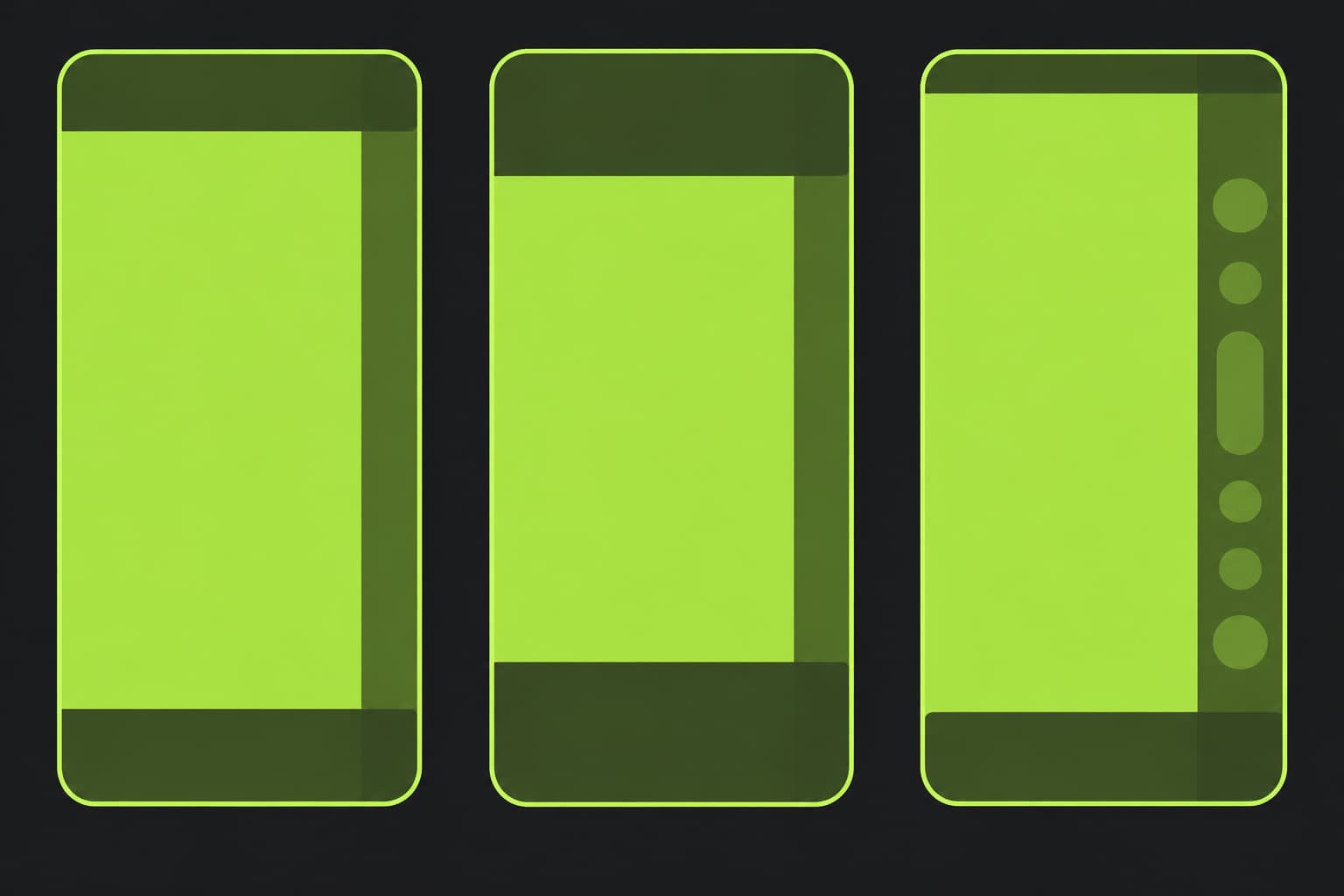
Every app lays its own interface over your video: the username, caption text and music line along the bottom, and the like, comment and share buttons down the right edge. Shorts adds its title and subscribe button along the bottom too. TikTok's own ads help centre says the safe zone depends on the orientation, the caption length and any extra formats used, and it offers downloadable safe zone files rather than one fixed measurement.
For editing, that means one rule covers all three: keep captions, faces and key action in the middle of the frame. Burned-in captions placed low, where many caption presets put them by default, often end up hidden behind the app's own caption text.
The fix is cheap. Set your caption baseline higher than feels natural, keep text away from the right edge, and preview the export inside each app's draft or upload screen before you publish. Our guide to how to edit Instagram Reels that get views covers caption styling in more detail.
Quick test: open the draft in each app and pause on your busiest frame. If any word of your caption sits under a button or the app's own text, move it up and re-export.
Hooks and the first seconds on each app
All three feeds autoplay and let viewers swipe away instantly, so the opening carries most of the weight. Instagram is unusually direct about this: its creator advice tells you to start with a compelling hook in the first 3 seconds, and Insights shows a View Rate metric, the percentage of people who keep watching after the first 3 seconds. That gives you a way to measure your hook instead of guessing.
Instagram also says reels should make sense to people who do not know you yet. That is a useful editing rule on every platform. Cut the greeting, the logo sting and the slow walk into frame. Open on the result, the question or the most surprising line, then explain.
Shorts and TikTok viewers behave the same way, so the same tight opening works there. The difference is mostly in what you test. On Instagram you can use trial reels, which Instagram describes as a way to post a reel only to accounts that do not follow you, then decide whether to share it with followers. That makes Reels a good place to test two hooks first.
- Open on the payoff or the strongest line, not the setup.
- Put a short text hook on screen in the first frame, inside the safe area.
- Use jump cuts in short videos to remove pauses in the first sentence.
What CreatorSuite sends back
A real upload next to the finished edit. Switch between short form and long form.
Editing for TikTok vs Reels vs Shorts: pacing, sound and captions
The core edit is the same everywhere: tight cuts, captions that are easy to read on mute, visual change often enough that the eye has something new, and a clean ending that loops or hands off to a call to action. Where editing for tiktok vs reels differs is mostly in sound and text.
Sound matters on all three. Instagram notes that adding audio can help reels reach more people. Trending sounds are platform-specific, though, so a track that is everywhere on TikTok may not be available in the Instagram or YouTube music library. Keep your voice on its own track and add music per platform inside each app when you can, rather than baking a trending track into the master.
Captions should be your own. Instagram's originality guidance credits material edits that add value, such as adding unique text on the content itself that gives more context. Platform auto-captions are fine as a backup, but designed captions in your style read better and stay consistent across apps. If you cut away from the speaker, b-roll for short videos is the easiest way to keep the picture moving while the voice carries the point.
| Edit element | Keep the same on all three | Change per platform |
|---|---|---|
| Voice track and cuts | Yes, one clean master | Trim the opening if one app's retention drops early |
| Burned-in captions | Yes, same style, placed centrally | Nudge position if an app's caption block covers them |
| Music | Leave it out of the master | Add licensed or in-app tracks per platform |
| Length | Aim for the shortest version that tells the story | Cut a shorter variant for Shorts if a long track or limit gets in the way |
| Cover frame and caption text | Same idea | Write each caption and pick each cover in the app |
Cross posting TikTok to Reels and Shorts without the watermark problem
The biggest mistake in cross posting tiktok to reels is downloading the finished TikTok and uploading that file. It carries TikTok's watermark, and Later's comparison relays Instagram's own warning that publishing Reels with the TikTok watermark will likely lower your views. The simple fix is to never post a file exported from another app. Export a clean master from your editor and upload that to each platform.
Instagram has gone further on originality. Its creators blog says accounts that mainly post unoriginal content are not shown in places where Instagram recommends content, though followers still see their posts. It also says adding only a border, watermark, subtitles or a caption credit does not make someone else's clip original. Accounts are reviewed on a rolling 30-day period, and you can check your standing in Account Status.
If the footage is yours, you are posting original content, so cross-posting is fine. Just upload the clean file natively on each app, write a fresh caption for each audience, and avoid leaving another platform's on-screen text or end card in the video.
Rule of thumb: one master edit with no app branding, uploaded separately to each platform. Never repost a download.
Worked example: one recording, three cuts
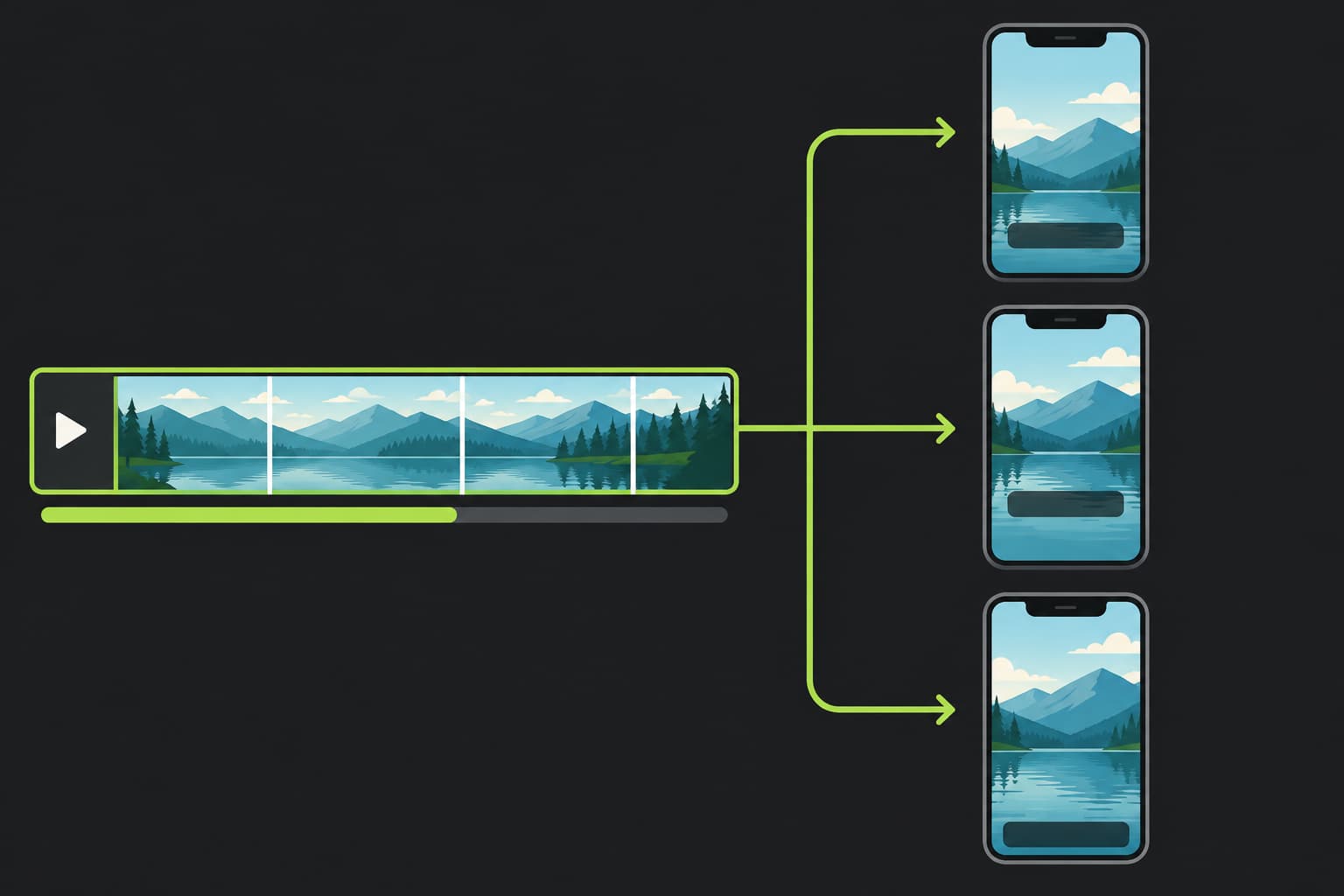
Here is how a fitness coach might turn one recorded tip into three platform versions. The recording is about two minutes of talking to camera on a phone, with some gym footage shot the same day. If you shoot it yourself, our guide on how to film short videos on your phone covers framing and audio.
- Step 1, build the master: cut pauses and repeats, open on the strongest line, add designed captions placed in the centre of the frame, add b-roll over explanations. No music, no app watermark. Export vertical.
- Step 2, Reels version: upload the master to Instagram, add a sound from Instagram's library, check the caption position in the draft, and confirm it is under 3 minutes so non-followers can see it. Optionally post it as a trial reel first with one hook, then try a second hook.
- Step 3, TikTok version: upload the same master, add a TikTok sound, write a new caption, and pause the preview to make sure TikTok's caption block does not hide your burned-in text. If the caption text is long, keep it short so it covers less of the frame.
- Step 4, Shorts version: confirm the export is no longer than three minutes so YouTube treats it as a Short. If you want a song longer than the track's allowed length, cut a shorter variant. Add a title, and check the bottom of the frame against the Shorts title area.
- Step 5, compare after a few days: look at View Rate on Instagram, retention in YouTube Studio and TikTok's analytics for the same video. If one app drops off early, re-cut only the opening for that app next time.
What stayed the same: the voice track, the cuts, the captions and the b-roll. What changed: music, caption text, cover and, on one app, the opening seconds.
Why the same video wins on one app and flops on another
In any Reels vs TikTok vs Shorts test, creators who post one video to all three often see very different numbers and assume the edit is to blame. Later's own test across its accounts found that results varied by platform and by timing: an original take on a sound did far better on TikTok than on Reels, while an early trend post did better on Instagram. Editing was not the variable; audience, timing and topic were.
Before you re-edit, work out which cause applies. Use this checklist on the weaker platform:
- Topic and audience: is the follower base on that app the right audience for this subject? An account built on one topic will not push a different topic far.
- Hook: compare the drop-off in the first 3 seconds. A weak opening shows up as low View Rate on Reels or an early cliff in Shorts retention.
- Covered text: did the app's interface hide your hook text or captions? Re-check the draft.
- Length: did it go past the length that app recommends to non-followers?
- Originality and watermarks: was the uploaded file a download from another app with a watermark?
- Timing and consistency: Instagram calls posting consistently one of the most effective ways to grow. A single post after weeks of silence is a weak test.
- Account health: on Instagram, check Account Status for any recommendation limits.
- Sound: a trending sound on one app may be unknown or unavailable on another.
Ways to get three platform cuts done
Once you know how Reels vs TikTok vs Shorts differ, the question is who does the work. There are four realistic options, and the right one depends on how many videos you post and how much of your week you want to spend in an editor.
If you would rather upload footage and get the finished vertical edit back, CreatorSuite is an AI video editor that does the cuts, hook, captions, b-roll, motion design, sound and colour from raw footage, including phone footage. You then add music, captions and covers per app yourself, which takes minutes. Plans start at $9/month, and the 3-day free trial covers 1 short video, 3 clips or 1 long video up to 10 min (card required). It edits footage you already have; it does not film, generate videos from text or make AI avatars, so if you need those, one of the tools compared on our InVideo alternative page may fit better. If you want someone to talk through each project live, compare options on our freelance video editors alternative page.
| Option | Good for | Trade-offs |
|---|---|---|
| Edit it yourself in a phone or desktop editor | Full control, low volume, learning the craft | Takes the most time per video; you handle every platform tweak |
| Clipping apps that cut long videos into shorts | Turning podcasts or long videos into many clips | Results depend on the source; you still check captions and safe zones |
| Freelance editor | Custom styles, back-and-forth on creative choices | Cost and turnaround vary; quality depends on the person you hire |
| Done-for-you AI video editing service such as CreatorSuite | Regular posting from raw footage without editing yourself | Works from footage you supply; per-platform music and captions are still yours to add |
Reels vs TikTok vs Shorts: which to edit for first
If you only have time to optimise one version, start where your audience already is and where you can measure the hook. For many creators that is Instagram, because View Rate and trial reels make it easy to test openings before the TikTok and Shorts uploads. If your channel is on YouTube, start with Shorts so the export length and title fit, then adapt for the others.
The bigger point in any short form video platform comparison is that the shared edit does most of the work. Get the master right, keep text in the safe area, keep it within each app's recommendation length and never post another app's watermark. The per-platform changes after that are small. For a faceless channel the same rules apply; see how to make faceless Reels.
If editing is the bottleneck, CreatorSuite's AI video editor can produce the master edit so you only handle the per-app tweaks. Paid plans run from Basic at $9/month for up to 3 short videos to Growth at $299/month for up to 60, and there is a full refund before your 2nd edit. To compare it with paying a monthly service elsewhere, read video editing subscription services explained.
What we read for this guide
- YouTube Help: Upload YouTube Shorts · support.google.comSquare or vertical videos up to three minutes count as Shorts; music limits within a 3 minute Short.
- Instagram Creators: Finding success on reels in 2025 · creators.instagram.comReels up to 3 minutes are eligible to be recommended to non-followers; previously 90 seconds.
- Instagram Creators: Helping creators of all sizes break through · creators.instagram.comHook in the first 3 seconds, View Rate metric, trial reels, posting consistently and adding audio.
- Instagram Creators: Rewarding original creators on Instagram · creators.instagram.comUnoriginal accounts kept out of recommendations; watermark or subtitles alone not original; rolling 30-day review.
- TikTok Ads Help: TikTok Auction In-Feed Ads · ads.tiktok.com9:16 recommended; safe zone depends on orientation, caption length and formats; downloadable safe zone files.
- Later: Reels vs TikTok vs Shorts · later.comOne brand's test across the three apps; relays Instagram's warning about TikTok-watermarked Reels.
How this page was made: written by Badar Munir and the CreatorSuite team with AI assistance, reviewed by James, from facts we checked ourselves and the sources listed above. Spotted something out of date? Email us and we’ll fix it.
Reels vs TikTok vs Shorts: FAQs
What is the difference between Reels and Shorts?
The difference between reels and shorts is mostly the platform around the video. Both are vertical, sound-on and swiped. YouTube treats square or vertical uploads up to three minutes as Shorts, while Instagram recommends Reels up to 3 minutes to non-followers. The interface covers slightly different parts of the frame, and music libraries differ.
Can I post the same video on TikTok, Reels and Shorts?
Yes, if the footage is yours. Export a clean master with no app watermark and upload it natively to each platform. Do not upload a file downloaded from TikTok to Instagram; Instagram has said watermarked Reels are likely to get fewer views.
How long should a video be for TikTok vs Instagram Reels vs YouTube Shorts?
For tiktok vs instagram reels vs youtube shorts, stay at or under three minutes if you want one export to work on all three: that is the Shorts limit and the Reels recommendation limit. Shorter is usually easier to keep tight. Check TikTok's upload screen for your account's own limit.
Why does my video get views on TikTok but not on Reels?
Usually it is not the edit. Check the audience on each app, the hook's drop-off in the first 3 seconds, whether text was covered, the length, whether you uploaded a watermarked file, how often you post and your Instagram Account Status.
Can CreatorSuite make the edit for all three platforms?
CreatorSuite edits your raw footage into a finished, ready-to-post vertical video with cuts, hook, captions, b-roll, motion design, sound and colour. You upload it to each app and add platform music and captions yourself. The 3-day free trial covers 1 short video, 3 clips or 1 long video up to 10 min, with a card required.
Rather not edit it yourself?
Upload raw footage, get a finished edit back. 3-day free trial: 1 short video, 3 clips or 1 long video up to 10 min.
2,700+ creators in the last 7 days
Start 3-day free trial